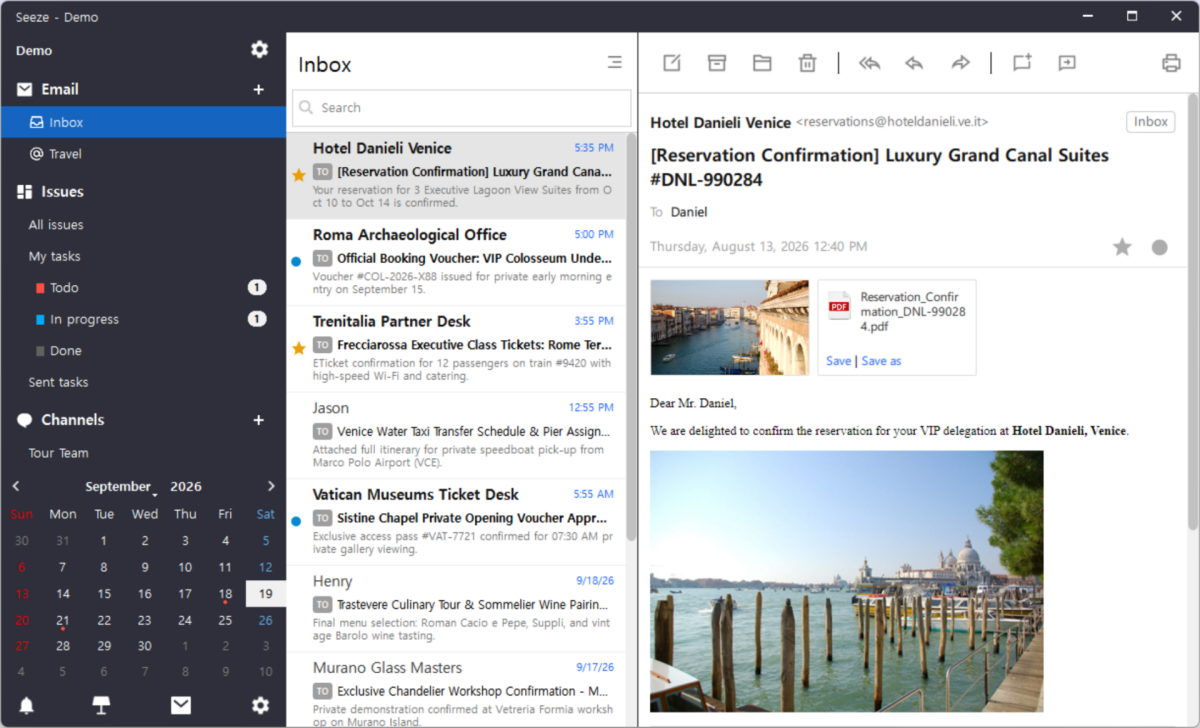
Email remains one of the most important starting points for real business communication. Customer requests, partner messages, approvals, documents, and important decisions often arrive by email first.
The problem begins when that email has to be moved into another tool before the team can discuss and act on it. Seeze brings a classic email client directly into the workspace, supporting IMAP, POP3, and SMTP while keeping email management familiar and practical.
Shared-inbox tools put the whole mailbox in the cloud. Seeze does the opposite: a real desktop client running on your PC, connecting to any account that speaks IMAP or POP3 — not a fixed list of providers — with your folders intact and HTML mail rendered as it was sent. The mailbox stays local. Only the emails you pick ever leave it.
This selective-sharing model gives users more control over what becomes part of the team's shared workspace. The goal is simple: don't share the entire inbox just to collaborate on one email.
When an email requires discussion or follow-up, Seeze provides an Issue Thread action directly inside the email client. The selected email becomes the anchor for the new Issue Thread.
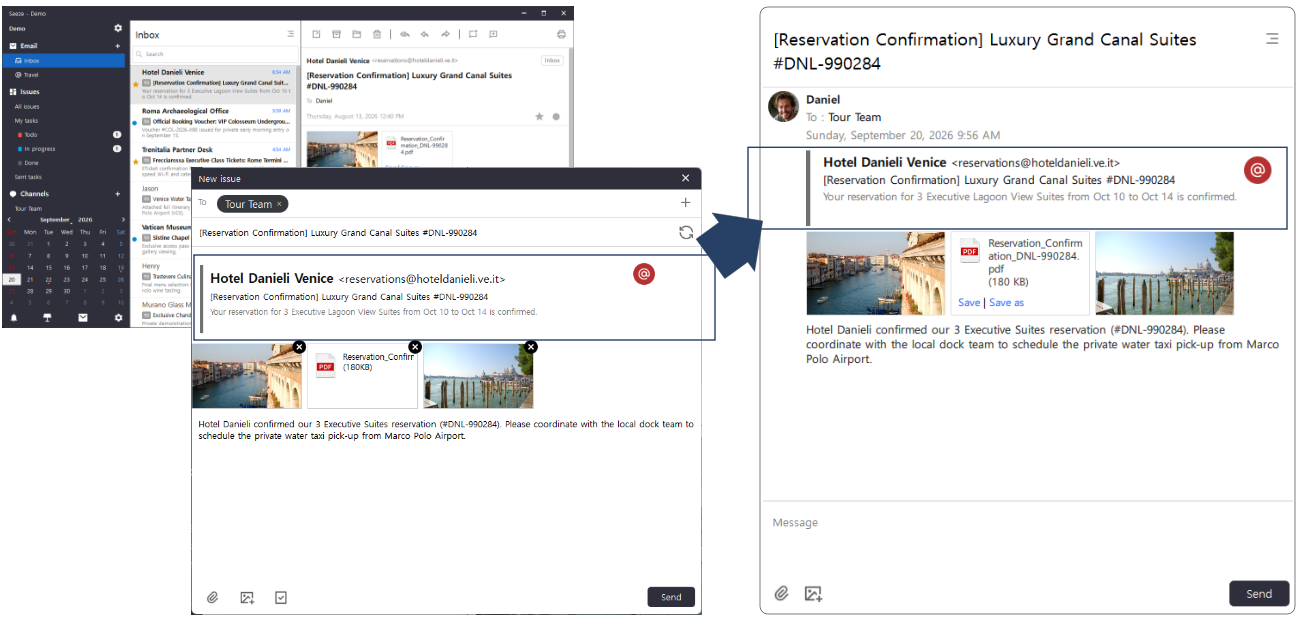
The conversion happens inside the email client. The composer opens with the email already in it — sender and subject quoted as the anchor, attachments carried across, each with its own × if one is not needed. You choose who receives it up front; here it is the Tour Team Channel. The title is generated for you, and the button beside it writes another.
The original email stays connected to the Issue Thread, so the discussion keeps the context it came from. Nothing has to be copied, re-typed, or explained a second time — the team starts from the message itself, not from someone's summary of it.
An email does not always create a new Issue. Sometimes an existing Issue is already being discussed and a new email contains information relevant to that work. Seeze allows the selected email to be shared directly into an existing Issue Thread.
This makes email a flexible entry point into the Issue-centric workflow. The user can decide whether the email starts a new Issue, or becomes additional context for an existing Issue.
A customer email can arrive while everyone else is offline. Whoever receives it decides later whether it needs the team, and shares just that email into an Issue. The others pick it up when they are back — without needing access to anyone's inbox.
The inbox remains yours. The relevant work becomes the team's.
Related reading: